Discover the ultimate 2025 laptop buying guide

🌍 Introduction: One Laptop, Endless Possibilities
Buying a laptop in 2025 can feel like navigating a maze. Stores are packed with dozens of models, each claiming to be “the best.” But what makes a laptop truly fit your needs? The answer depends on your lifestyle, work, hobbies, and even your long-term goals.
- Whether you’re a gamer
- professional
- student
- or creator
- the right laptop can boost productivity
- enhance creativity
- make your day-to-day life smoother. On the other hand
- the wrong choice can lead to frustration
- slow performance
- regrets.
In this guide, we’ll break down everything you need to consider — from processors to screens, from battery life to cooling — so you can make a confident decision.
⚙️ Step 1: Define Your Purpose
Before diving into specs, you need to ask: “What will I primarily use this laptop for?”
Work and Study:
Prioritize battery life and portability.
Lightweight models (under 1.5kg) are ideal.
A CPU with strong multi-tasking performance ensures smooth productivity.
Gaming:
High refresh-rate displays (144Hz or higher) for fluid visuals.
Powerful GPU for rendering 3D graphics.
Effective cooling systems to prevent throttling.
Content Creation:
- Video editors
- designers
- 3D artists require high-end CPUs and GPUs.
Accurate color reproduction (IPS or OLED panels).
Ample RAM (32GB or more) and fast storage (NVMe SSD).
Programming & AI Work:
Multi-core CPUs for compiling code efficiently.
GPU support for AI model training.
Expandable memory for future-proofing.
🧠 Step 2: Understand Key Hardware Components
1. Processor (CPU):
The “brain” of your laptop.
Intel Core i7/i9 or AMD Ryzen 7/9 recommended for high performance.
Consider the number of cores and threads; more cores = better multitasking.
2. Graphics Card (GPU):
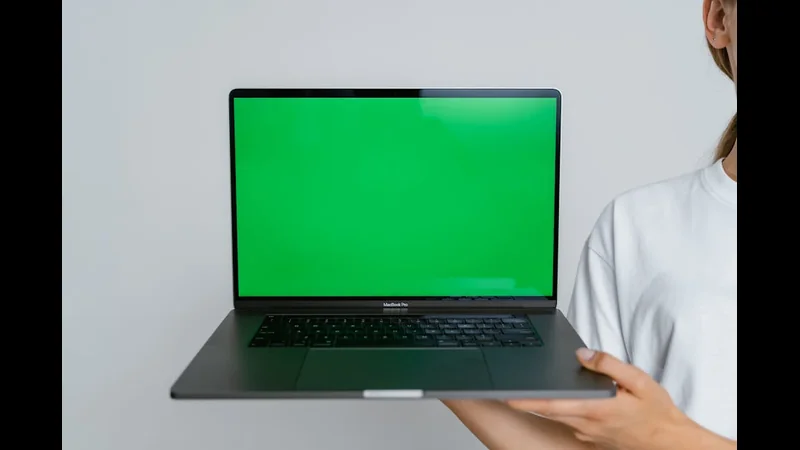
For gamers and creators, a dedicated GPU (NVIDIA RTX 4000 series or AMD Radeon equivalent) is essential.
- Integrated graphics suffice for web browsing
- office work
- streaming.
3. RAM:
16GB is generally enough for most users.
- 32GB+ recommended for video editing
- 3D rendering
- heavy multitasking.
4. Storage:
SSDs provide speed and reliability.
NVMe SSDs are significantly faster than SATA SSDs.
HDDs may still be used for large file storage but are slower.
5. Display:
Gaming: 144Hz–240Hz refresh rate, low response time.
Professional creatives: High color accuracy (100% sRGB or AdobeRGB).
General use: Full HD (1080p) is usually sufficient.
6. Battery Life:
Professionals need at least 8 hours.
Gamers may sacrifice battery life for power.
Look for battery efficiency optimized CPUs (Intel EVO, AMD Ryzen Mobile).
7. Build Quality & Portability:
Metal chassis for durability.
Lightweight laptops for mobility.
- Consider hinges
- keyboard feel
- trackpad quality.
🔧 Step 3: Cooling and Thermal Management
A laptop’s cooling system is more than just a convenience — it’s crucial for performance and longevity.
Fans and Heat Pipes: Move heat away from CPU and GPU.
Vapor Chambers: Advanced cooling used in gaming and high-performance laptops.
Thermal Throttling: Occurs when heat forces the system to reduce speed, harming performance.
Tip: If you plan heavy gaming or editing, choose a laptop with dual fans or liquid vapor cooling and clean the fans regularly.
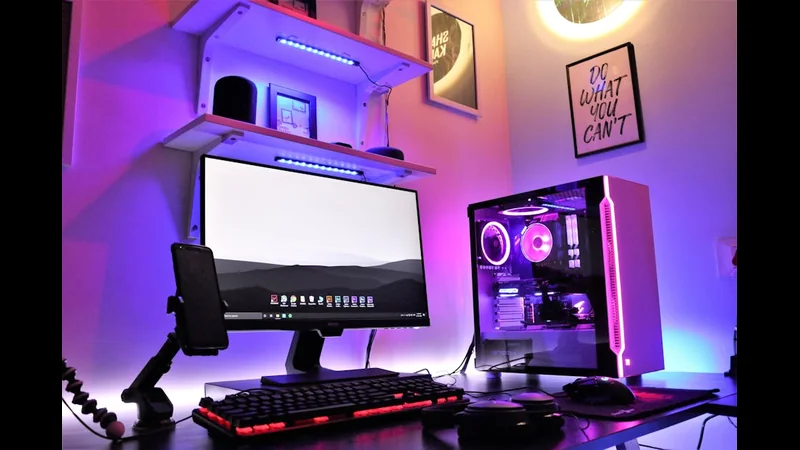
🧩 Step 4: Connectivity and Ports
A laptop’s ports determine how easily you can connect peripherals:
- USB-C / Thunderbolt 4: Fast data transfer
- charging
- external monitors.
HDMI / DisplayPort: External displays for gaming or productivity.
Headphone Jack & Microphone: Essential for online meetings or content creation.
SD Card Slot: Handy for photographers and videographers.
🌟 Step 5: Software and OS
The operating system matters:
- Windows 11/12: Most flexible
- best for gaming
- productivity
- enterprise software.
macOS Ventura: Excellent for creative workflows, seamless integration with Apple ecosystem.
- Linux: Powerful for developers
- programming
- AI work.
Ensure the laptop comes with essential software or supports easy upgrades.
🔮 Step 6: Budget vs. Value
Choosing a laptop isn’t just about raw specs — it’s about value for your money.
Don’t overspend on features you won’t use.
- Balance CPU
- GPU
- RAM
- storage according to your main tasks.
- Consider warranty
- service
- future upgrade potential.
Pro Tip: Laptops with upgradeable RAM/SSD often offer better long-term value.
🧭 Step 7: Longevity and Future-Proofing
Technology evolves quickly. A laptop that feels fast today might struggle in 2–3 years. Consider:
CPUs with 6–8 cores or higher.
GPUs capable of handling future games or AI applications.
Minimum 16GB RAM, preferably upgradeable.
NVMe SSDs for speed and storage flexibility.
💡 Bonus Tips for Smart Laptop Buying
- Try Before You Buy: Test the keyboard
- touchpad
- screen brightness.
Read Reviews and Benchmarks: Real-world tests are more reliable than marketing claims.
Warranty and Support: Longer coverage is worth the investment.
- Accessories Matter: Cooling pads
- external monitors
- docking stations can enhance your experience.
🏁 Conclusion: Your Perfect Laptop
- The “best” laptop isn’t universal — it’s the one that matches your workflow
- hobbies
- lifestyle.
Gamers → prioritize GPU and refresh rate.
- Creators → CPU power
- color accuracy
- RAM.
- Professionals → battery life
- portability
- productivity features.
Everyday users → balance cost and performance for smooth daily tasks.
- By understanding the CPU
- GPU
- RAM
- storage
- cooling
- other factors
- you’ll make a choice that lasts for years.