The Most Common PC Bottlenecks Explained

A powerful PC does not always deliver powerful performance. Many users experience stuttering, low frame rates, long loading times, or sluggish multitasking—even on systems with modern hardware. In most cases, the issue is not a lack of raw power, but an imbalance between components. These imbalances are known as bottlenecks, and they are one of the most common causes of real-world performance problems.
- Understanding PC bottlenecks is essential for diagnosing slowdowns
- building balanced systems
- making smart upgrade decisions.
What a Bottleneck Really Is
A bottleneck occurs when one component limits the performance of the entire system. No matter how fast the other parts are, overall performance cannot exceed the capacity of the slowest critical component in a given workload.
Bottlenecks are workload-dependent. A system that performs perfectly in gaming may struggle in video editing, and vice versa. This is why there is no such thing as a universally “bottleneck-free” PC—only well-balanced ones.
CPU Bottlenecks: When the Processor Holds You Back
A CPU bottleneck happens when the processor cannot keep up with the demands placed on it, leaving other components underutilized—especially the GPU.
Common causes include:
- Low core count for modern workloads
- Weak single-core performance
- Older CPU architectures
- Heavy background processes
- In gaming
- CPU bottlenecks often appear as low GPU usage and inconsistent frame rates
- particularly in CPU-intensive titles or at lower resolutions.
GPU Bottlenecks: When Graphics Power Is the Limit
GPU bottlenecks are the most common and often the most desirable type. They occur when the graphics card is working at full capacity while other components remain underutilized.
Typical scenarios include:
- High-resolution gaming
- Ultra-quality settings
- Ray tracing workloads
A GPU bottleneck usually means the system is well-balanced for gaming, but upgrading the GPU is the only way to achieve higher frame rates.
RAM Bottlenecks: The Silent Performance Killer
Insufficient or slow memory can severely limit performance.
RAM bottlenecks occur when:
- Total memory capacity is too low
- Memory speed or latency is inadequate
- Single-channel memory is used instead of dual-channel
Symptoms include stuttering, long load times, and poor multitasking performance. Modern systems benefit significantly from adequate RAM capacity and proper configuration.
Storage Bottlenecks: When Data Access Slows Everything Down
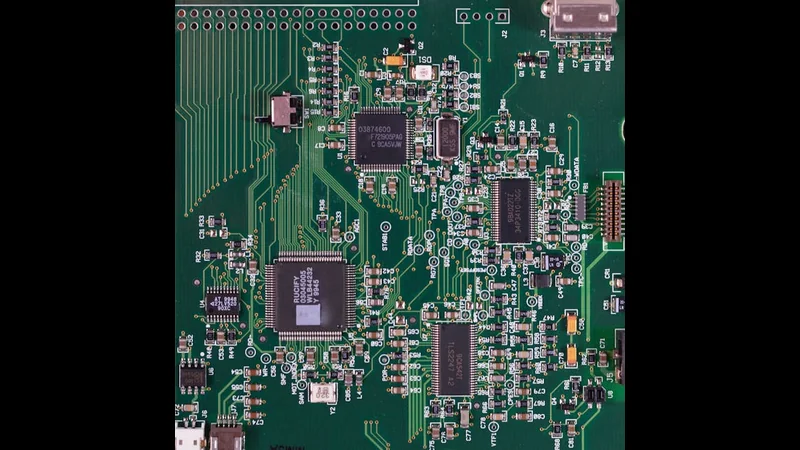
Storage bottlenecks affect system responsiveness rather than raw FPS.
Common signs include:
- Slow boot times
- Long application launches
- Texture pop-in in games
- Delays during file transfers
Using an HDD or a saturated SSD can bottleneck modern systems. Upgrading to a fast NVMe SSD often delivers immediate, noticeable improvements.
Thermal Bottlenecks: Performance Lost to Heat
Thermal bottlenecks occur when components overheat and reduce performance to protect themselves.
Causes include:
- Poor cooling
- Dust buildup
- Inefficient airflow
- Dried thermal paste
Thermal throttling affects both CPUs and GPUs and can cause sudden performance drops under sustained load.
Power Delivery Bottlenecks
Power-related bottlenecks are often overlooked.
They occur when:
- The PSU cannot handle transient power spikes
- Power limits restrict boost behavior
- Motherboard VRMs are inadequate
These issues can reduce performance even when temperatures are acceptable.
Software Bottlenecks and Optimization Issues
Not all bottlenecks are hardware-related.
Software bottlenecks include:
- Poorly optimized applications
- Inefficient game engines
- Background services consuming resources
- Driver issues
In these cases, hardware upgrades may offer little benefit without software optimization.
Resolution and Settings-Induced Bottlenecks
Changing resolution or graphical settings can shift bottlenecks between CPU and GPU.
Lower resolutions stress the CPU
Higher resolutions stress the GPU

Understanding this relationship helps users fine-tune settings for optimal performance.
How to Identify Bottlenecks
Effective bottleneck detection involves monitoring system behavior under load.
Key indicators include:
- CPU and GPU usage percentages
- Clock speed stability
- Temperature readings
- Memory utilization
- Storage activity
Monitoring tools provide valuable insight into which component is limiting performance.
How to Fix or Reduce Bottlenecks
There is no single solution, but strategies include:
- Balancing CPU and GPU power
- Increasing RAM capacity or speed
- Upgrading storage
- Improving cooling
- Optimizing software and drivers
The goal is not eliminating bottlenecks entirely, but ensuring they align with intended workloads.
Common Bottleneck Myths
“A bottleneck means my system is bad.”
False—every system has bottlenecks.
“Online bottleneck calculators are accurate.”
They provide rough estimates, not real-world analysis.
“Upgrading the fastest part helps most.”
Not if it’s not the limiting factor.
FAQ
Is a GPU bottleneck bad?
No—it’s normal in gaming-focused systems.
Can RAM upgrades fix stuttering?
Often yes, especially with insufficient capacity.
Does SSD speed affect FPS?
Indirectly, through loading and streaming performance.
Are bottlenecks permanent?
No—workload changes can shift them.
Should I always aim for balance?
Yes—balance delivers the best real-world performance.
Conclusion
PC bottlenecks are an unavoidable reality of system design, but they don’t have to be a mystery. By understanding how different components interact and where limitations arise, users can diagnose performance issues accurately and make smarter upgrade decisions.
The most effective systems are not those with the most powerful parts, but those where each component complements the others. Balance—not brute force—is the key to sustained performance.