The Best Gaming Setup for Beginners

Starting a gaming journey can feel overwhelming, especially with today’s enormous range of hardware, accessories, and software options. New players are often bombarded with recommendations—some accurate, some overly complex, and many unnecessarily expensive. The truth is that the best gaming setup for beginners is not defined by raw power or premium components, but by a balanced ecosystem that prioritizes comfort, performance, accessibility, and upgrade potential.
This guide provides a clear, research-backed breakdown of what new gamers actually need, why certain components matter more than others, and how to build a setup that feels modern, responsive, and future-ready without overspending.
Defining Your Gaming Goals
Before choosing hardware, beginners should define the type of gaming experience they want. Different genres place different demands on components:
Fast-paced FPS and competitive titles require high frame rates and low latency.
Story-driven RPGs benefit from visual fidelity and cinematic immersion.
Strategy and simulation games demand CPU strength rather than GPU power.
Indie and casual games have minimal hardware requirements.
A study by the Stanford HCI Group (Kaynak: https://hci.stanford.edu
) shows that players who align their hardware with their preferred genres experience higher long-term satisfaction and lower upgrade pressure. Clarity in goals prevents overspending and ensures that your setup supports the experiences you value most.
Choosing the Right Gaming PC or Console
Beginners must decide whether to start with a console or a PC. Consoles offer simplicity and predictability, while PCs offer flexibility and performance scaling.
For PC beginners, a balanced entry-level build should include:
A mid-range GPU (e.g., NVIDIA GTX 1660, RTX 3050, or AMD RX 6600)
A modern quad-core or hex-core CPU
At least 16GB of RAM
A fast NVMe SSD for quick load times
This configuration easily handles modern titles at 1080p with strong performance.
Console beginners may choose PlayStation 5, Xbox Series X/S, or Nintendo Switch depending on preferred exclusives and budget. Consoles deliver consistent performance without requiring technical knowledge, making them ideal for players who value convenience.
The Monitor: The Most Underrated Investment
For beginners, choosing the right display can dramatically improve gameplay. Many new players focus heavily on GPUs but underestimate the importance of refresh rate, response time, and panel type.
Key recommendations:
Refresh rate: 120Hz or higher significantly improves motion clarity.
Response time: 1ms–5ms reduces motion blur and ghosting.
Panel type:
IPS for color accuracy
VA for contrast
TN for speed
Research from the MIT Media Lab (Kaynak: https://media.mit.edu
) highlights that perceived responsiveness increases more from a jump in refresh rate than a jump in resolution. This is why 1080p 144Hz monitors remain a top choice for beginners.
Keyboard, Mouse, or Controller?
Input devices strongly affect precision and comfort. Beginners should choose tools that match their playstyle rather than defaulting to expensive “gamer” gear.
For PC players:
A mechanical keyboard with linear or tactile switches improves input accuracy.
A gaming mouse with adjustable DPI (800–1600 is adequate for most beginners).
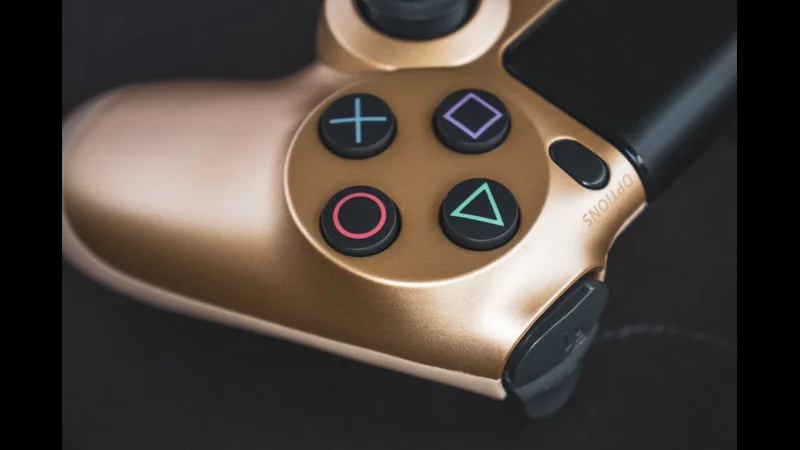
- A comfortable controller for platformers
- racing games
- JRPGs.
For console players:
Standard controllers are highly optimized; specialized controllers (fight sticks, racing wheels) should be considered only if they match the user’s preferred genres.
Ergonomics also matter. IEEE research (Kaynak: https://ieee.org
) indicates that poor posture and inadequate peripheral ergonomics increase the risk of repetitive strain injuries in new players. Choosing comfortable gear is more important than choosing flashy gear.
Audio: Immersion Starts With Sound
Audio is one of the most transformative yet overlooked aspects of a gaming setup. Beginners often underestimate how much sound quality influences immersion and reaction speed.
Recommendable options include:
Over-ear gaming headsets with directional audio
External speakers for cinematic RPGs or offline play
USB microphones for voice chat clarity
Spatial audio features—such as DTS:X, Dolby Atmos, or console-specific 3D audio—enhance awareness in competitive games. In fast-paced titles, accurate sound positioning can be as impactful as visual clarity.
The Desk and Chair Setup: Comfort = Performance
A gaming setup is not complete without ergonomic furniture. Long sessions become far more enjoyable with:
A height-adjustable desk
A supportive, adjustable gaming or office chair
A wrist-friendly keyboard and mouse placement
Proper monitor height (eye level)
Good cable management for minimal clutter
Comfort directly impacts performance and cognitive focus. Studies from Nature Human Behaviour (Kaynak: https://nature.com
) show that physical comfort improves reaction time and reduces fatigue during demanding tasks.

Internet Connectivity: Stability Over Speed
Beginners often assume that extremely fast internet is required for gaming, but what matters most is stability and latency.
Ideal requirements:
Latency: Under 40ms for smooth multiplayer responsiveness
Connection: Wired Ethernet preferred over Wi-Fi
Router: Dual-band or mesh systems for stable wireless performance
Packet loss—not slow speeds—is the main cause of lag spikes. Even a 50 Mbps connection is more than enough for high-quality online gaming if it is stable.
Software Essentials
A beginner-friendly setup includes more than hardware. Essential software includes:
GPU driver management tools
Game launchers (Steam, Epic, Battle.net, console stores)
Voice chat apps (Discord, PlayStation Party, Xbox Chat)
FPS and latency monitors
Cloud save features
Parental controls or restriction tools when needed
For beginners, automated tools that optimize settings—such as NVIDIA GeForce Experience—reduce complexity and ensure consistent performance.
Avoiding Common Beginner Mistakes
New gamers often fall into predictable traps. Avoid:
Overspending on high-end GPUs before optimizing fundamentals
Buying “gamer” accessories with no practical benefits
Choosing a 4K monitor instead of a high-refresh 1080p or 1440p one
Ignoring ergonomics and desk comfort
Using Wi-Fi exclusively for competitive online games
Skipping system updates and driver installs
Balanced choices always outperform expensive, unbalanced setups.
FAQ
How much should beginners spend on a gaming setup?
Between $600 and $1,200 for PC setups; consoles offer cheaper entry points.
Is a high-refresh-rate monitor necessary?
Yes—more important than 4K resolution for most beginners.
Should beginners build their own PC?
Only if they enjoy the process; pre-built systems offer safe, reliable starts.
Do beginners need mechanical keyboards?
Not required, but they provide better durability and input consistency.
Is a headset better than speakers?
For multiplayer communication and awareness, headsets are the superior choice.
Conclusion
The best gaming setup for beginners prioritizes balance, comfort, and long-term accessibility—rather than raw performance or flashy aesthetics. With the right combination of a mid-range PC or console, a responsive monitor, ergonomic peripherals, immersive audio, and stable connectivity, new players can enjoy high-quality gaming without unnecessary complexity. As skills evolve, the setup can be upgraded piece by piece, ensuring that investment aligns with actual needs.
A beginner-friendly gaming setup should feel empowering, not overwhelming—an inviting gateway into the broader world of interactive entertainment.