The Most Common Hardware Mistakes Beginners Make

Building or upgrading a PC for the first time is an exciting experience—but it is also where many costly and frustrating mistakes happen. Modern computer hardware is more powerful and accessible than ever, yet it is also more complex. Compatibility constraints, thermal limits, power requirements, and performance balance are easy to misunderstand, especially for newcomers.
- This article explores the most common hardware mistakes beginners make
- explains why they happen
- shows how to avoid them. Understanding these pitfalls can save money
- prevent performance loss
- dramatically improve long-term system reliability.
Choosing Components Based Only on Marketing Numbers
One of the most frequent beginner mistakes is relying solely on headline specifications such as clock speed, core count, or advertised boost frequencies.
Examples include:
- Choosing a CPU based only on GHz
- Buying a GPU based on model number without considering VRAM or power limits
- Selecting RAM by speed alone while ignoring latency and compatibility
Marketing highlights peak values, not sustained real-world performance. Hardware should be chosen based on workload requirements, platform compatibility, and thermal constraints—not isolated numbers.
Ignoring Component Compatibility
Compatibility issues are a major source of first-time build failures.
Common mistakes include:
- Buying a CPU that does not match the motherboard socket
- Choosing RAM that is unsupported by the motherboard
- Installing DDR5 memory on DDR4 platforms
- Selecting oversized GPUs that do not fit the case
Even experienced users occasionally overlook compatibility. Beginners should always verify CPU, motherboard, RAM, and case compatibility before purchasing.
Underestimating the Importance of the Power Supply
Many beginners treat the power supply as an afterthought. This is one of the most damaging mistakes.
Common PSU-related errors include:
- Choosing low-quality, no-name power supplies
- Selecting insufficient wattage
- Ignoring transient GPU power spikes
- Using outdated PSU standards with modern hardware
A poor power supply can cause instability, reduce performance, and permanently damage components. It is the foundation of system reliability and should never be compromised.
Poor Cooling Decisions
Cooling mistakes are extremely common among beginners.
Examples include:
- Using the stock cooler for high-TDP CPUs
- Installing fans with incorrect airflow direction
- Blocking intake vents
- Ignoring thermal paste quality and application
Inadequate cooling leads to thermal throttling, which silently reduces performance. Beginners often misinterpret this as “bad hardware” when the real issue is thermal management.
Incorrect Thermal Paste Application
Thermal paste mistakes are small but impactful.
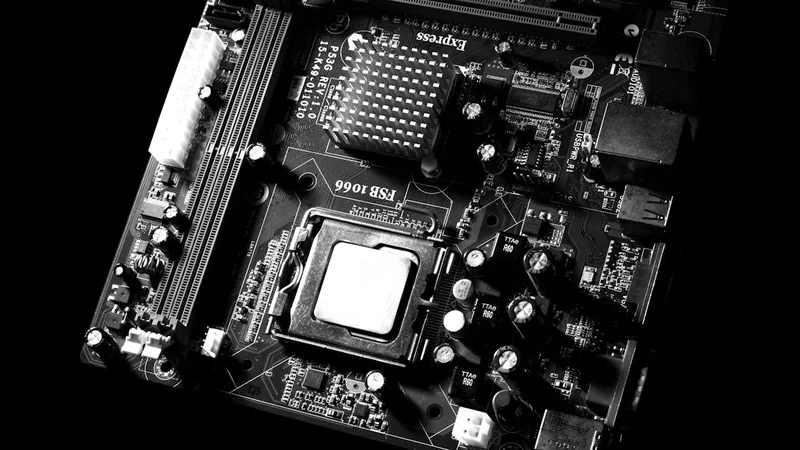
Typical errors include:
- Applying too much paste
- Applying too little paste
- Using dried or low-quality paste
- Failing to replace old thermal compound
Poor thermal interface contact can increase temperatures significantly, triggering throttling even with good coolers.
RAM Configuration Mistakes
Memory-related mistakes are subtle but common.
These include:
- Installing RAM in the wrong slots
- Using single-channel instead of dual-channel
- Mixing incompatible RAM kits
- Running RAM at default speeds without enabling XMP/EXPO
Improper RAM configuration can reduce performance by a noticeable margin, especially in gaming and multitasking workloads.
Choosing the Wrong Storage Setup
Beginners often underestimate how much storage speed affects perceived performance.
Common storage mistakes include:
- Using HDDs as boot drives
- Buying low-quality SSDs with poor controllers
- Filling SSDs completely
- Ignoring NVMe advantages
A fast CPU paired with slow storage will feel sluggish regardless of processing power.
Overbuilding One Component and Neglecting Others
Hardware balance is critical. Beginners often overspend on one component while neglecting others.
Examples include:
- High-end GPU paired with a weak CPU
- Powerful CPU with insufficient RAM
- Expensive components inside poor airflow cases
This leads to bottlenecks that limit real-world performance and waste budget.
Ignoring Case Airflow and Physical Layout
Cases are often chosen based on aesthetics alone.
Common airflow mistakes include:
- Solid front panels with limited ventilation
- Insufficient intake fans
- No exhaust path
- Poor cable management blocking airflow
A beautiful case with poor airflow will cause thermal issues regardless of cooling hardware quality.
Skipping BIOS and Firmware Setup
Many beginners build a PC and never enter the BIOS.
This leads to:
- RAM running at default low speeds
- Outdated firmware
- Poor fan curve configuration
- Disabled performance features
Proper BIOS setup is essential for unlocking the hardware’s full potential.
Believing Online Bottleneck Calculators Blindly
Automated bottleneck calculators are often misleading. They oversimplify complex interactions between hardware, software, resolution, and workload type.
Real bottlenecks must be identified through monitoring and real-world usage—not generic percentages.
Neglecting Long-Term Maintenance
Beginners often assume PCs require no maintenance.
In reality:
- Dust accumulates
- Thermal paste degrades
- Fans wear down
- Software overhead increases
Lack of maintenance shortens lifespan and degrades performance over time.
Upgrading Without a Clear Goal
Hardware upgrades should solve specific problems.
Common upgrade mistakes include:
- Upgrading GPU when CPU is the bottleneck
- Adding more cores when storage is the issue
- Buying faster RAM without sufficient capacity
Upgrades without analysis often deliver disappointing results.
Expecting Desktop Performance From Laptops
Many beginners expect laptops to behave like desktops.
They underestimate:
- Thermal limitations
- Power constraints
- Upgrade restrictions
This leads to unrealistic expectations and frustration, especially in gaming and professional workloads.
FAQ
What is the most common beginner mistake?
Underestimating the importance of power supply and cooling.
Can bad airflow really reduce performance?
Yes—thermal throttling can significantly lower sustained performance.
Is more expensive hardware always better?
No—balance matters more than price.
Should beginners overclock?
Not initially—stability and cooling should come first.
Do small mistakes really matter?
Yes—minor errors compound over time.
Conclusion
Most hardware mistakes beginners make are not due to lack of intelligence, but lack of system-level understanding. Modern PCs are ecosystems where components interact dynamically. Performance, stability, and longevity depend on balance, compatibility, power delivery, and thermal management—not just raw specifications.
By avoiding these common pitfalls, beginners can build systems that perform better, last longer, and provide a far more satisfying computing experience. The best hardware decisions are informed ones—and understanding mistakes is the fastest path to mastery.